Writers, Donna sees you
Word was built for offices. You're building worlds. Donna is the writing workspace that keeps your draft, your research, your reference materials, and your notes open at once, on one screen, exactly where you need them.
Every writer knows the frustration: you're in the middle of a paragraph when you have to switch windows to check a fact, lose your train of thought, and spend ten minutes getting back to where you were. Word wasn't designed for the way writers actually work, flipping between drafts, notes, browser tabs, and reference PDFs all day long. DONNA IS.
It's probably a powerful tool BUT it falls short in ways that cost you hours every single week.
Your research is in one window. Your outline is in another. Your draft is somewhere underneath. Every time you need to check something, you lose the thread
You had six things open, a thought half-formed, a paragraph mid-sentence. Close the laptop. Tomorrow you spend twenty minutes reconstructing what your brain already knew.
You know you wrote that sentence somewhere. You know that quote is in one of your research PDFs. But no proof or evidence, what next then?
A character detail in chapter 3 contradicts something you wrote in chapter 11. Your wrord processor has no idea and neither do you, until a reader points it out.
SIX CORE FEATURES
Every feature was designed around how creatives, students, and knowledge professionals actually work,
not how software companies assume you do.
Multi-Document Management
Word, PDF, and the web
side by side.
Open a .docx, a PDF, and a live website in the same workspace. Splits, tabs, and a document sidebar keep everything one click away, no more juggling apps or losing your place between formats.
Native .docx and .pdf support, no conversion, no export, no friction
Built-in browser for live web references right inside your workspace
Drag-to-split layout, arranged exactly how your thinking works
Document sidebar keeps every open file one click away


SESSIONS
Freeze your workspace in time.
Pause exactly where you left off, every open document, every split, every scroll position. Come back hours or weeks later and pick up mid-thought, like you never closed your laptop.
Every document, every split, every scroll position, saved
Name and organize sessions by project, client, or deadline
Unlimited sessions on Pro and Teams plans
Restore any past session in a single click
WORKSPACE SEARCH
Search across everything, instantly.
One search bar, every document. Find a phrase, clause, or footnote across your entire workspace as fast as you'd find it in a single file, typically in under 0.3 seconds.
Searches .docx, .pdf, and open web pages simultaneously
Jump directly to the exact line, page, or paragraph
Results appear in under 0.3 seconds
Filter by document, format, or date


DEFINITIONS
Defined terms,
cross-referenced automatically.
Every defined term in your documents is automatically linked to its definition, wherever it appears. Hover to see the meaning, click to jump to the source. No manual tagging, no copy-pasting, no losing your place.
Automatic detection of defined terms across all open documents
Hover to see the definition inline, without leaving your page
Click to jump straight to the source definition
Works across .docx and .pdf simultaneously
THREADS
Your documents, connected.
Our node-based network lets you follow the thread of thought across documents without ever leaving your page. Concepts and ideas are linked automatically, trace any clause, definition, or idea across dozens of documents instantly.
Visual node map of every connected document and concept
Trace any clause, argument, or reference across dozens of files
Connected ideas surface automatically, zero manual tagging
Click any node to jump straight into context

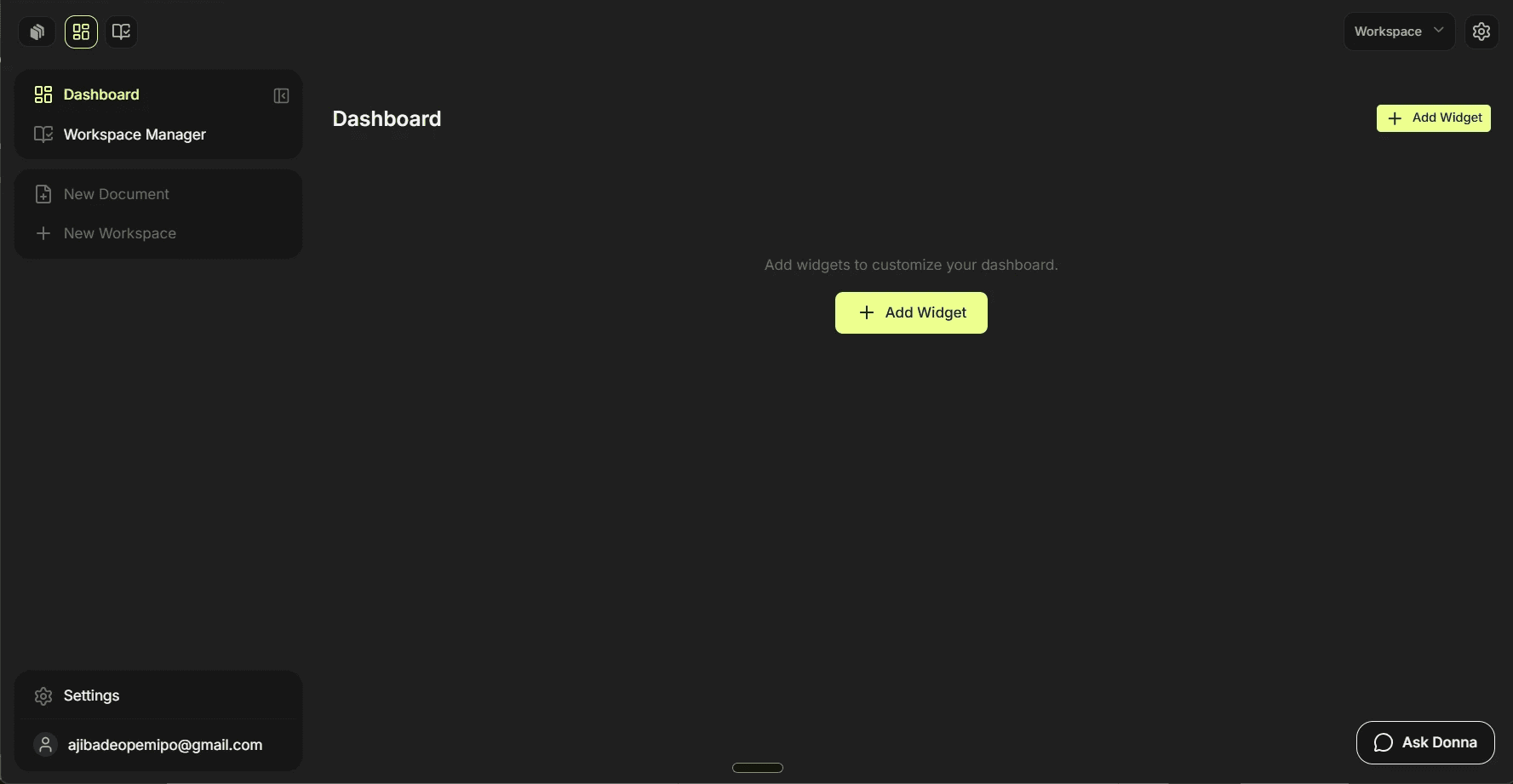
DASHBOARD
Status, deadlines, ownership.
Track every document like a project, not a file. See what's in draft, what's under review, what's due Friday, and who's holding the pen, all from one view. No spreadsheet required.
Custom statuses: Draft, In Review, Approved, Sent
Deadline tracking with built-in reminders
Ownership tags for shared team workspaces
Full project intelligence at a single glance
WHO ELSE IS DONNA FOR?
Whether you write fiction or fact, long-form or short, solo or on deadline,
if you live in documents, Donna was made for you.
WHY SWITCH?
Word and Google Docs are great single-document editors.
Donna is what you reach for when you're working across many files at once and need them to work together.
Capability
Word / Docs
Adobe Acrobat
Donna
✕
✕
✓
✕
✕
✓
✕
✕
✓
✕
✕
✓
✕
✕
✓
✕
✕
✓
✕
✕
✓
✕
✕
✓
✓
✓
✓


